Netflix Scam Claims Your “Prime Video” Will Be Deactivated
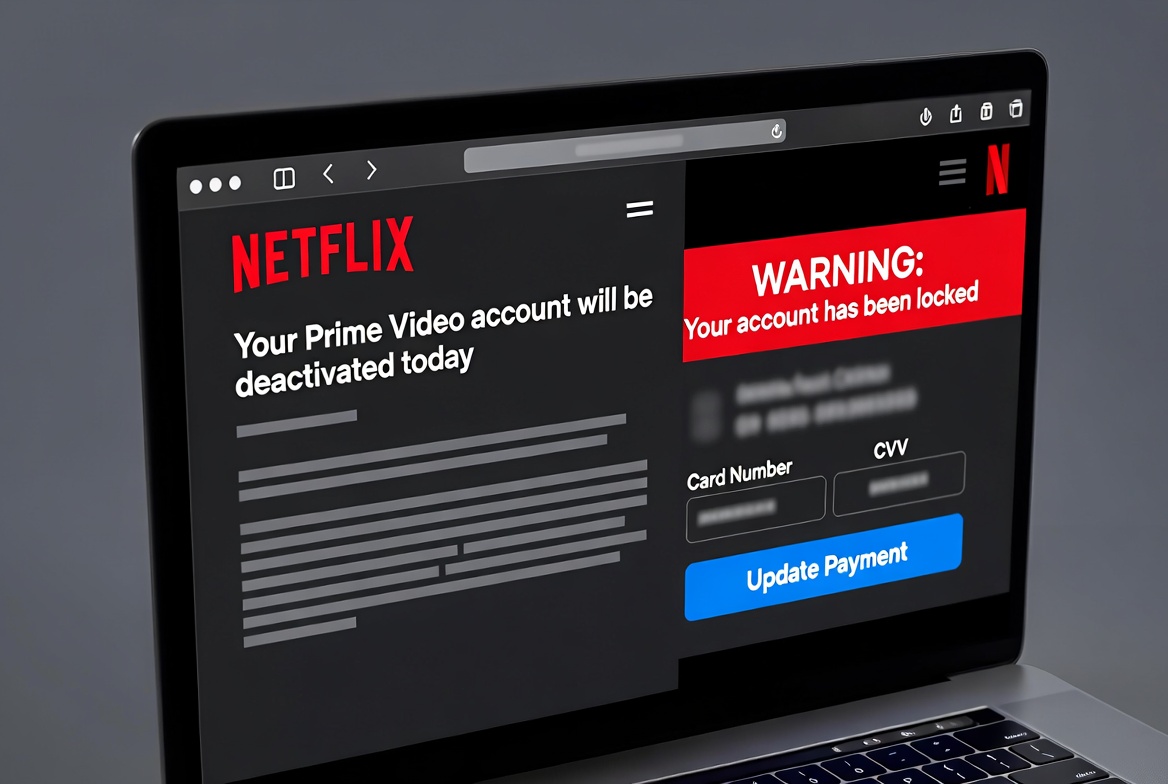
A new wave of Netflix scam emails is circulating that falsely claims your Prime Video account will be deactivated due to non payment. The messages copy Netflix branding but reference Amazon’s Prime Video service, creating a confusing mix of two different platforms. This is not a simple typo. It is a sign of a broader phishing operation that recycles old templates, swaps logos, and relies on brand recognition to trick people into clicking links.
The goal of this Netflix scam is straightforward: push you to click a link in the email, open a fake account or security page, and then move you through additional phishing or reward pages that harvest login credentials, personal details, and sometimes payment information. Different users may receive different subject lines, sender names, layouts, and URLs, but the basic pattern remains the same. None of the senders, links, or websites used in this campaign are associated with Netflix, Amazon, or Prime Video.
How the Netflix Scam Email Works
In one common example, the email arrives with the sender name “Netflix” and a message similar to:
“[your email address] Your Prime Video account will be deactivated today due to non-payment. Take action to avoid service interruption.”
The email is sent from an unrelated address at biffalojp.com, not from an official Netflix or Amazon domain. The formatting is basic and designed to be read quickly. The combination of a well known brand name, a threat of immediate service loss, and a prominent call to action is intentional. Scammers want recipients to click the link before they notice anything unusual about the message.
The body of the email usually contains a single large button or image that appears to be a “Restore account” or “Update payment” prompt. Clicking this element does not take you to Netflix. It opens an IP based redirect that begins the phishing chain.
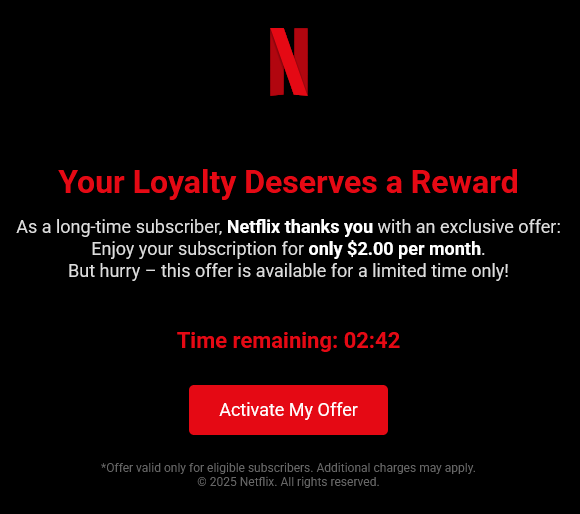
IP Based Redirect and Fake Account Alert Page
In the sample reviewed, the email image links to an IP style URL on a host that includes a university related domain:
http://119-235-254-100.medbook.ucsc.edu/sdfqsdfqdfgssdfh.html
URLs that use raw IP addresses or strange hostnames like this are a common phishing tactic. They are inexpensive to deploy, easy to rotate, and more difficult for casual users to recognize as suspicious. Once opened, the redirect loads a page that pretends to be a Netflix or Prime Video account alert. It may show familiar colors, logos, and language claiming your streaming access will be cut off unless you act immediately.
The fake page can vary in design, but frequently includes:
- A Netflix style logo or header
- A warning that your account will be cancelled or deactivated
- A large button to “Update payment details” or “Verify account”
- References to Prime Video or Amazon in the text
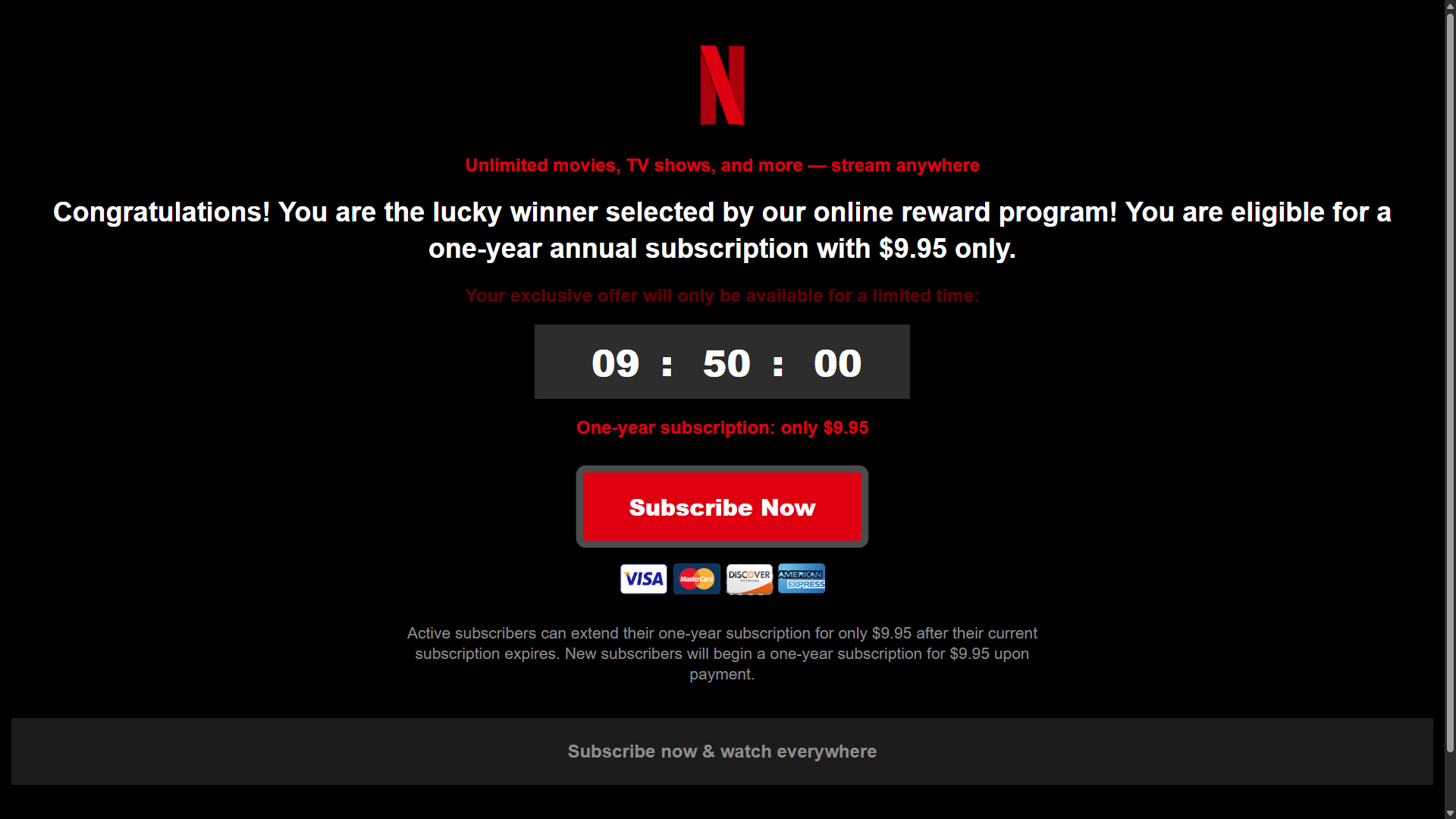
The design is meant to make you focus on the fear of losing access rather than the details of the address bar or the quality of the content. Once you click to continue, the scam often moves away from the familiar Netflix or Prime branding and into generic reward or survey style pages.
From Account Warning to Fake Reward and Survey Pages
After the initial fake security alert, many variants of this Netflix scam redirect users into broader reward and survey scams. These pages may claim you are a “lucky winner” selected by an online reward program, that you qualify for a special gift, or that you must complete a short survey to secure a prize.
These pages often include:
- Headlines like “Congratulations, you are the lucky winner”
- Graphics of gift boxes, vouchers, or brand logos
- Progress bars and timers to create a false sense of urgency
- Multiple personal questions unrelated to any real Netflix or Amazon process
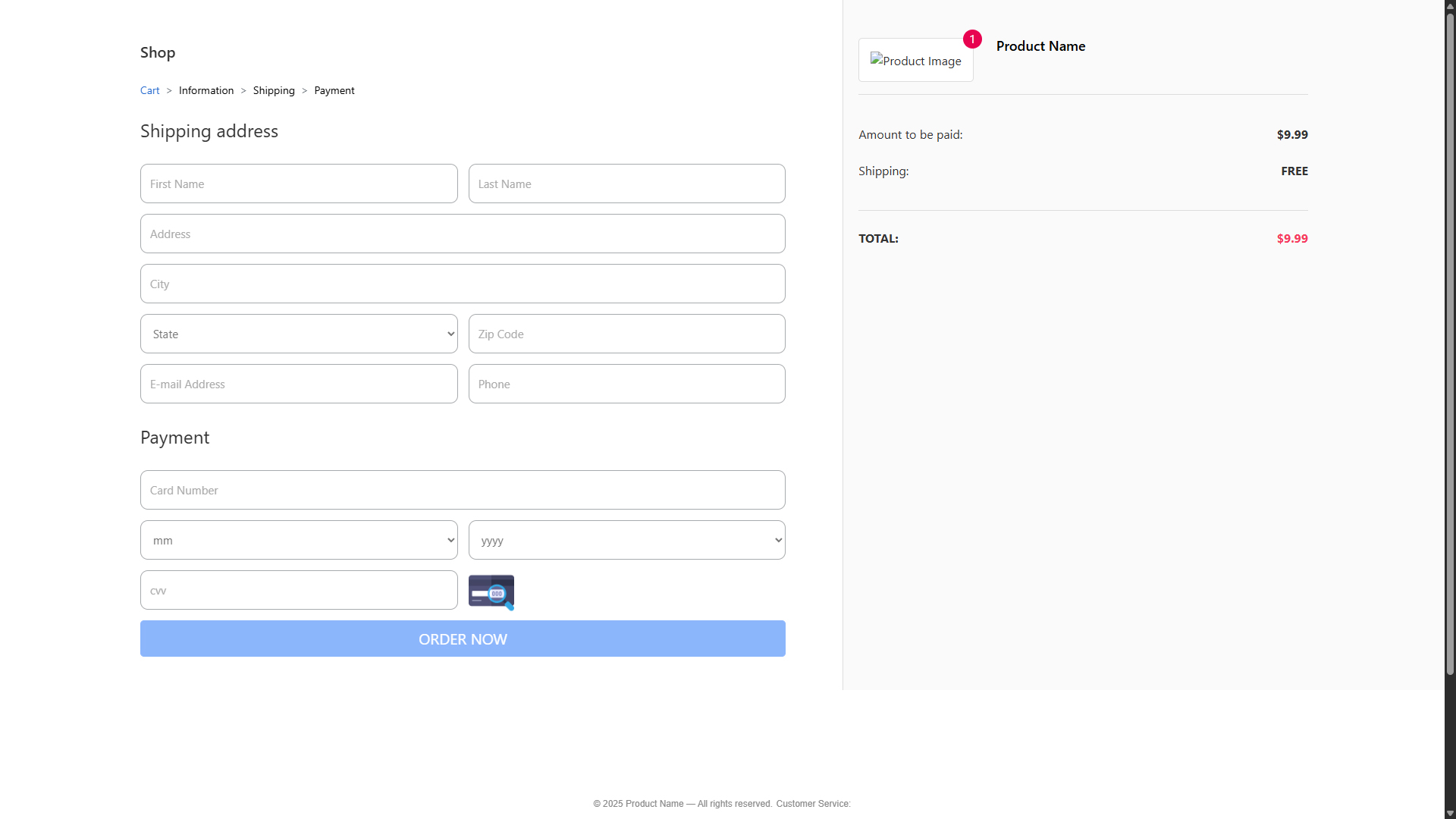
In some cases, these survey flows end at a fake checkout form that requests full name, address, phone number, email, and payment card details under the pretense of a small fee, shipping charge, or account confirmation. In others, they simply collect contact data that can be sold or used for future targeting. The Netflix message is only the entry point into a larger operation built around generic reward and account scams.
Very similar structures have been observed in other reward themed campaigns, including fake giveaways like the Starbucks Yeti Rambler Tumbler reward scam, which we covered in detail in a separate article: The Starbucks Yeti Rambler Tumbler Reward Scam Uses Fake Emails to Steal Credit Card Information.
Why a Netflix Scam Mentions Prime Video
The most unusual aspect of this campaign is the mix of brands. The email claims to be from Netflix but warns that your Prime Video account will be deactivated. This combination is a strong indicator that you are dealing with a phishing attack. There are several likely reasons why scammers have done this:
- Recycled templates. Many phishing groups reuse older Amazon or Prime Video email templates and simply paste new logos or names onto them. In this case, they appear to have kept the Prime Video wording while changing branding elements to imitate Netflix. This saves effort but results in mixed messages that security aware users quickly notice.
- Assumption that users blur streaming brands. Scammers rely on brand familiarity more than accuracy. They know most people subscribe to at least one major streaming service and may not pay close attention to which name appears in the text. If a user quickly scans the message and sees a well known logo plus a threat of losing access, that alone may be enough to trigger a click.
- Targeting both Netflix and Prime users at once. Combining Netflix imagery with a Prime Video deactivation warning potentially appeals to a wider audience. Someone who uses Netflix may react to the logo, while someone who uses Prime may react to the wording. This can increase the number of victims, even though the message looks odd to careful readers.
In all cases, the mismatch between Netflix and Prime Video is a red flag. Legitimate notifications will clearly identify a single service, use correct terminology, and arrive from official domains only.
Red Flags in This Netflix Scam
There are several warning signs that help identify this Netflix scam before any damage is done. Common red flags include:
- Strange sender address. The email may show the name “Netflix” but is sent from an address at domains such as biffalojp.com or other unrelated hosts. Official messages from Netflix are not sent from random third party domains.
- Brand mismatch. The email references Prime Video or Amazon while pretending to be from Netflix. Real companies do not mix services this way in account or billing notifications.
- Urgent threat of deactivation. The message states that your account will be deactivated “today” or “immediately” if you do not act. While real services may send reminders, they do not typically frame them with extreme urgency and a single clickable route.
- Generic greeting and poor formatting. Many variants use plain text greetings, awkward phrasing, or inconsistent capitalization. Large companies normally use polished and consistent templates.
- Suspicious links. Hovering over the button or image shows links to IP addresses, odd subdomains, or unrelated sites instead of a recognizable Netflix or Amazon domain.
- Redirect into rewards or surveys. A genuine account notice takes you directly to the real service website, not into a chain of generic reward pages, surveys, or unrelated offers.
- Requests for full payment information. When a supposed account update page asks for full card details, security codes, or other sensitive data in a context that looks out of place, it is almost always a phishing attempt.
Domains and Infrastructure Behind the Scam
This Netflix scam uses a mix of IP based URLs and disposable domains to keep the operation running as long as possible. The example reviewed used an IP redirect on a host that included a university related domain:
119-235-254-100.medbook.ucsc.edu
From there, traffic can be passed through multiple intermediate landing pages and reward sites that may change over time. Campaigns like this frequently rotate through new hostnames and top level domains to evade filters and blacklistings.
A quick WHOIS Lookup of final landing domains tied to similar campaigns typically shows that they:
- Were registered very recently
- Use domain privacy services to hide ownership
- Are hosted with providers commonly used for short lived marketing or affiliate networks
- Have no connection to Netflix, Amazon, or any legitimate streaming service
The specific domains may change, but the pattern remains consistent: newly registered, privacy protected sites funnel traffic from generic reward ads, fake account pages, and phishing forms.
How to Protect Yourself from Netflix Scam Emails
You can reduce the risk of falling for a Netflix scam like this by following a few practical guidelines:
- Do not click links in unexpected account emails. If you receive a message claiming your Netflix or Prime Video account is at risk, open the service directly in your browser or app instead of using the email link.
- Check the sender domain carefully. Legitimate Netflix messages come from official domains, not random third party addresses. If the domain looks unfamiliar, treat the email as suspicious.
- Look for brand consistency. A real Netflix email will not reference Prime Video or other unrelated services in a deactivation warning.
- Watch for IP based links and redirects. URLs that start with an IP address or point to strange subdomains are strong indicators of phishing.
- Verify account status in your settings. Log in to your account through the official website or app and check your billing or membership status there. If nothing is wrong, the email is a scam.
- Be skeptical of rewards and surprise offers. If an account alert suddenly turns into a survey or reward flow, close the page. Many email scams use this combination to blend phishing with fake prize offers.
What to Do If You Clicked or Entered Information
If you clicked a link in one of these Netflix scam emails or entered any information on a related page, act quickly to limit potential damage:
Botcrawl may earn a commission from purchases made through links in this article.
- Change your Netflix and email passwords. If you attempted to sign in on a phishing page, update your password on the real Netflix site immediately. Do the same for the email account that received the scam message.
- Enable two factor authentication where possible. Adding an extra layer of verification makes it harder for attackers to access your accounts even if they have your password.
- Contact your bank or card issuer. If you entered payment card details on a fake page, notify your bank or card provider as soon as possible. Ask them to review recent activity, block suspicious charges, and issue a new card if needed.
- Monitor your accounts closely. Keep an eye on bank statements, online account activity, and email for signs of unauthorized access or transactions.
- Scan your device for malware. Some phishing pages attempt to deliver malicious scripts or downloads. Run a full system scan with a trusted security tool. A reputable program such as Malwarebytes can help detect and remove many common threats.
How to Report the Netflix Scam
Reporting scams helps reduce their reach and gives providers a chance to block malicious senders and domains. If you receive one of these Netflix scam emails, consider the following steps:
- Report it to Netflix. Forward suspicious emails pretending to be from Netflix to their official phishing reporting address if available in your region.
- Report Amazon or Prime themed versions to Amazon. If the email leans heavily on Prime Video branding, you can also report it through Amazon’s phishing reporting channel.
- Use your email provider’s phishing tools. Mark the message as phishing in your email client. This improves filtering for you and other users.
- File a complaint with regulators if money was lost. In the United States, you can report scams to the Federal Trade Commission through their official portal. If you lost money, you can also submit a report to the Internet Crime Complaint Center (IC3).
- Warn friends and family. Many streaming account scams spread quickly. Let others know what to look for so they can avoid clicking similar messages.
Netflix and Amazon will not deactivate your streaming access through a generic, mismatched email that funnels you through reward pages and surveys. When in doubt, ignore the message, sign in directly from the official website or app, and verify your account status there. Taking a few extra seconds to check can prevent your data and money from ending up in the hands of scammers.