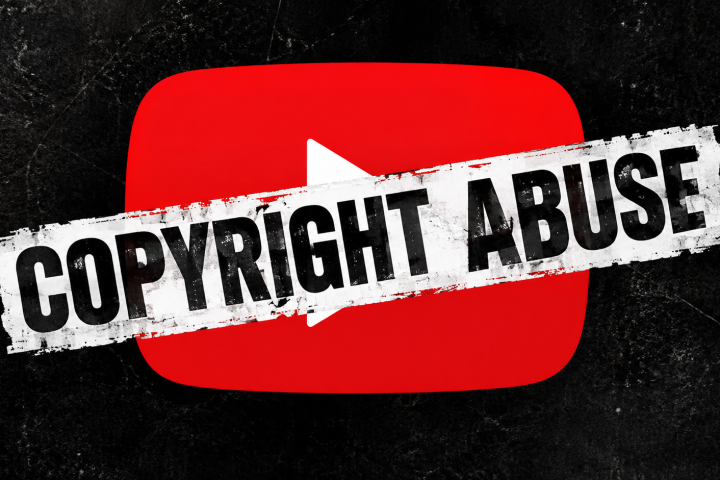
Fake Copyright Email Scam Targets YouTubers and Content Creators
The fake copyright email scam is a growing phishing campaign that targets YouTubers, streamers, and other online creators by impersonating legitimate copyright holders and digital rights organizations. Scammers send deceptive messages claiming that a creator’s video, image, or audio clip violates copyright law and must be resolved immediately. These messages are not real copyright notices but fraudulent attempts to steal login credentials, personal data, or even infect devices with malware.

The emails are often sent from free or foreign domains such as libero.it, maizuru-mc.jp, or mail.ru, which should be an immediate red flag. Real copyright disputes are never handled through random emails or third-party contacts, they are processed directly inside YouTube Studio, where official copyright claims and DMCA takedown requests appear through Google’s verified channels. These scams exploit creators’ fear of copyright strikes or account suspensions to pressure them into replying or clicking dangerous links.
Botcrawl may earn a commission from purchases made through links in this article.
Once a victim interacts with the message, scammers can gain access to their email or YouTube account, deliver info-stealing malware, or sell verified creator contact details to other cybercriminals. This guide explains what the fake copyright email scam is, how it works, and what to do if you receive one. It also includes examples of recent scam messages, tips to recognize fake claims, and instructions for removing potential malware using trusted anti-malware tools such as Malwarebytes.
Table of Contents
- What Is the Fake Copyright Email Scam
- Why Scammers Send Fake Copyright Emails
- How the Fake Copyright Email Scam Works
- Examples of Fake Copyright Email Scams
- How to Identify a Fake Copyright Email
- What to Do If You Receive a Fake Copyright Email
- Remove Malware with Malwarebytes (Recommended)
- Key Takeaways
What Is the Fake Copyright Email Scam
The fake copyright email scam is a phishing campaign that targets YouTubers, streamers, and other online creators with fraudulent copyright complaints. Scammers pretend to represent rights holders or copyright enforcement teams, claiming that one of your videos uses their content without permission. These messages are designed to sound professional, often using polite language, company-style formatting, and fake legal references to appear credible.
In most cases, the email includes a link to “review” or “resolve” the supposed copyright issue. Clicking it leads to a fake login page made to look like Gmail, Outlook, or YouTube. Once you enter your credentials, the attackers capture your information and may immediately use it to access your accounts. Some versions contain attachments or scripts that install malicious software capable of stealing passwords or browser data.
The senders frequently use free or foreign domains such as libero.it, maizuru-mc.jp, or mail.ru. These are clear signs of fraud since real copyright disputes are processed directly through YouTube Studio or official Google communication channels, never through random third-party emails. The scammers count on fear of copyright strikes or channel removal to make victims respond quickly without verifying authenticity.
While the wording and appearance of these emails may change, their goal remains the same: to gain access to your personal accounts or deliver malware. Recognizing these patterns and avoiding direct interaction with suspicious messages is key to staying safe from this type of scam.
Why Scammers Send Fake Copyright Emails
Fake copyright emails are part of a broader effort to trick creators into giving away access to their online accounts. These scams target YouTubers, influencers, and independent publishers because their platforms hold real financial value. A single stolen account can be used to run ads, spread more scams, or resell channel access on underground markets.
There are several main reasons why scammers send these emails:
- To steal login credentials. Most fake copyright messages include a link to a counterfeit login page that looks like Gmail, YouTube, or Outlook. When a victim signs in, their username and password are stolen immediately.
- To confirm active email accounts. Even if you do not click any links, replying to these messages confirms that your address is active and monitored. Scammers add confirmed addresses to lists used for future attacks or sold to other threat actors.
- To install malware. Some emails include attachments or hidden code designed to deliver malicious software. Once installed, it can collect browser data, passwords, or authentication cookies that let attackers bypass two-factor security.
- To build trust for larger scams. If you respond, the scammer might continue the conversation and send more links or documents. They can later pivot into sponsorship scams, fake settlements, or other attempts to get payment or deeper access.
- To threaten or extort creators. In rare cases, the sender will pretend to negotiate a copyright settlement and demand a small payment to resolve the claim. None of these requests are legitimate and should be ignored.
In short, these scams work because they exploit fear and urgency. Creators depend on their platforms for income, and the thought of a copyright strike or account loss can lead to rushed decisions. Understanding these tactics helps prevent falling for them in the first place.
How the Fake Copyright Email Scam Works
The fake copyright email scam follows a predictable pattern, though the wording and layout of each message may vary. Scammers use a mix of social engineering and imitation to make their messages appear legitimate while leading victims into a phishing or malware trap. Below is how the process typically unfolds from start to finish.

1. The scam begins with a realistic email. Attackers send messages that appear to come from copyright enforcement teams, DMCA support, or individual creators claiming ownership of certain media. These emails use convincing subject lines like “Copyright Infringement Notice,” “DMCA Takedown Request,” or “Unauthorized Use of Audio.” Many even include fake legal disclaimers, reference numbers, and logos to appear professional.
2. The message contains a call to action. The scammer usually includes a link or button that says “View Report,” “Resolve Claim,” or “Review Copyright Issue.” Clicking this link opens a fake login portal made to look identical to Gmail, Outlook, or YouTube’s sign-in page. The URL, however, belongs to an unrelated domain often hosted on recently registered servers. Once you log in, your credentials are sent directly to the attacker.
3. Some emails attach malicious files. Instead of links, certain variants include attachments labeled as “proof,” “DMCA notice,” or “infringement details.” Opening these files may trigger the installation of malicious code that steals passwords, browser cookies, and authentication data from your system.
4. Stolen data is used or sold immediately. Once attackers gain access to your email or YouTube account, they often change recovery details to block you out. Some sell the access on dark web markets, while others use the compromised channel to spread further scams, post fake giveaways, or promote malware through videos.
5. Secondary targeting and escalation. Victims who respond to these scams may continue receiving new fraudulent messages. Scammers know the person is responsive and may try to trick them again through sponsorship offers, brand collaborations, or refund scams. This continuous targeting is part of why replying to suspicious messages even once should always be avoided.
The entire scheme depends on trust and fear. By using official language and recognizable branding, scammers lower your guard just long enough to make you click or respond. Remember that legitimate copyright disputes never happen through personal emails, only through verified platforms such as YouTube Studio or official legal correspondence.
Examples of Fake Copyright Email Scams
Fake copyright email scams can appear in many different forms, but they share the same goal: to trick recipients into revealing personal information or downloading malicious files. Below are some examples of how these scams may look when they reach your inbox.
In one case, a scammer sent an email with the subject line “Un messaggio affettuoso” from netbet25_8@libero.it. The message claimed that a YouTube video used part of the sender’s “original audio” and politely asked for confirmation. It ended with a vague warning about contacting the platform if the issue was not resolved. Although the tone was friendly, the email was fake and designed to provoke a response, which could confirm the creator’s active address or lead to further phishing attempts.
Another example used the subject line “Thanks for the Report! Awaiting Your Thoughts” and appeared to come from st002@maizuru-mc.jp. The sender pretended to represent “DMCA Shield Support,” claiming a complaint had been filed by “LA Productions.” The message asked the recipient to “check the case” and respond quickly. It mimicked the structure of a legitimate takedown notice but included no official contact information or verified links.
A third version titled “Un clin d’œil du matin” came from jaydenlockman@libero.it. It stated that the sender’s audio content was used “without consent” and urged the recipient to confirm how they planned to resolve the issue. Like the others, it threatened to file a complaint if no reply was received. The purpose of all these examples is to manipulate creators into replying or clicking on malicious links that lead to fake login portals.
Most of these scams use free or foreign email providers, vague language, and untraceable contact details. Some even reuse the same message templates across different platforms, replacing names and domains to avoid filters. The best defense is awareness, never reply, never click suspicious links, and verify any copyright claim through the official YouTube Studio dashboard before taking action.
How to Identify a Fake Copyright Email
Fake copyright emails are designed to look legitimate, but a closer look always reveals clear signs that something is off. Knowing what to watch for can help you recognize these scams before they cause harm. Here are the most reliable ways to identify them.
- Check the sender’s email address. Real copyright notices from YouTube or rights management teams always come from verified domains such as
@youtube.comor@google.com. If the message comes from a free email provider like@libero.it,@mail.ru, or@jp, it is fake. - Look for unusual grammar or tone. Many scam messages contain awkward phrasing, odd punctuation, or inconsistent capitalization. Legitimate legal or copyright teams use formal, consistent language, not casually written text or sentences that appear to be translated poorly.
- Hover over links before clicking. Move your cursor over any “Review Claim” or “Resolve Issue” button to reveal its real destination. If it does not lead to an official YouTube or Google URL, it should be ignored and reported as phishing.
- Be cautious of threats or urgency. Scammers often use fear to make you act quickly, warning that your video or channel will be removed if you do not respond. Real copyright claims are filed directly through YouTube Studio, not via direct threats in email form.
- Ignore attachments labeled as “proof.” These attachments often contain hidden scripts or malware. Do not download or open any file you did not request. If a claim were legitimate, you would never receive proof through a random attachment.
- Verify directly on YouTube. The safest way to check for a copyright complaint is by logging into YouTube Studio through your browser. Under the “Copyright” section, you can view official disputes and take action if necessary. If there is no notice there, the email you received is fake.
These scams work by appearing urgent and official, but legitimate copyright notices follow strict legal and platform guidelines. If you are ever unsure, it is best to contact YouTube support directly or ignore the message entirely. Responding or clicking links gives scammers the opportunity they need to steal your account information.
What to Do If You Receive a Fake Copyright Email
If you receive a suspicious message claiming that your content violates copyright law, do not panic or respond immediately. Most fake copyright emails are easy to handle safely once you know the right steps to take. Follow the guidelines below to protect your accounts and avoid falling victim to these scams.
- Do not click any links or open attachments. Even viewing the message in full-screen mode can sometimes trigger hidden tracking images. Delete the email or mark it as phishing without interacting with its content.
- Do not reply to the sender. Responding confirms that your address is active and monitored, which can lead to more targeted scams. Legitimate copyright disputes are handled through verified YouTube or Google channels, not through random emails.
- Report the message as phishing. Use your email provider’s report feature to mark it as spam or phishing. This helps prevent similar messages from reaching other creators.
- Change your passwords if you clicked a link or logged in. Immediately reset your passwords for YouTube, Gmail, and any connected accounts. Enable two-factor authentication to prevent unauthorized access.
- Scan your device for threats. If you downloaded an attachment or visited a suspicious page, perform a full system scan using trusted anti-malware software such as Malwarebytes to detect and remove hidden malware.
- Contact YouTube support if necessary. If you suspect the scammer might have gained access to your account, contact YouTube or Google support through official help pages. Avoid using any contact details listed in the suspicious email.
- Stay cautious of follow-up messages. After one failed attempt, scammers may try again with a new domain or different pretext. Always double-check the sender and report repeat offenders to your email provider.
Handling these scams carefully is the best defense. Avoiding interaction, reporting the message, and running a quick security check can prevent stolen credentials or infected devices. Once you take these precautions, you can continue creating content without worrying about fake copyright threats.
Remove Malware with Malwarebytes (Recommended)
If you accidentally clicked a link or opened a file from a fake copyright email, your computer could be at risk. Some of these phishing pages silently install harmful software designed to steal passwords, cookies, or authentication tokens. Running a scan with a trusted security program is the safest way to clean your system and restore protection.
We recommend using Malwarebytes, a reliable tool that detects and removes threats commonly used in phishing and email-based scams. Follow the steps below to perform a full scan and remove any potential malware.

- Download the Malwarebytes setup file. It will appear in your Downloads folder as
MBSetup.exe. Double-click the file to begin installation.

- Follow the installation prompts to set up Malwarebytes on your device.

- Choose whether you are installing for personal or business use, then click Next.

- When prompted, you can add Malwarebytes Browser Guard to block scams, ads, and phishing attempts. This step is optional.

- After setup is complete, open Malwarebytes and click Get Started to launch the program.

- If you do not have a subscription, Malwarebytes will begin a free 14-day trial of its Premium version. After the trial ends, it will revert to the free edition, which still removes detected threats.

- From the dashboard, click Scan to start checking your device. Malwarebytes will inspect memory, startup programs, and all files for suspicious activity.

- Wait for the scan to complete. The process may take several minutes depending on your computer’s speed and number of files.

- When the scan finishes, click Quarantine to remove detected threats. Malwarebytes might ask you to restart your computer to complete the cleanup.

- After restarting, Malwarebytes may perform a secondary check using its Trusted Advisor feature to confirm that your system is clean.
After completing these steps, your computer should be free of any threats linked to the fake copyright email scam. Keeping Malwarebytes Premium active provides real-time protection against phishing, scams, and other online threats before they can cause damage.
Key Takeaways
The fake copyright email scam is a common and evolving threat that continues to target YouTubers and other online creators. These messages imitate legitimate copyright claims to steal account access, distribute malware, or collect personal data. The scammers rely on fear and urgency to make recipients act without verifying the source, often leading to stolen credentials or compromised devices.
Real copyright issues are always handled inside YouTube Studio or through official Google channels, never through random emails from unknown domains. If you receive one of these messages, avoid clicking links, downloading attachments, or replying to the sender. Instead, report it as phishing, change your passwords if you interacted with it, and run a full system scan using a trusted anti-malware program such as Malwarebytes.
Staying aware of how these scams operate is the best defense. Always double-check the sender’s address, verify claims through official dashboards, and ignore any message that pressures you to act immediately. Protecting your accounts begins with skepticism and ends with good security habits.