How to remove TeslaCrypt (Virus Removal Guide)
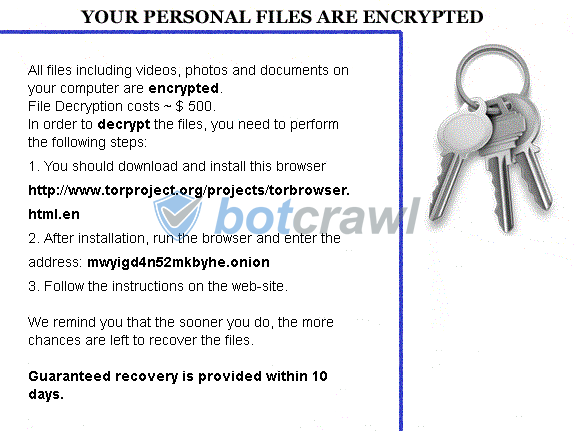
The TeslaCrypt virus (Tesla Crypt) is ransomware that takes control of an infected computer system and uses the AES encryption algorithm to encrypt personal files on a computer system. The virus will leave a message on the desktop's wall paper, open a webpage, leave a text file called HELP_ TO_DECRYPT_YOUR_FILES.txt., or display a message demanding ransom payments of $500 USD in Bitcoins or $1000 USD in PayPal My Cash Cards to decrypt the personal files and gain complete control of the computer again.
The TeslaCrypt virus (Tesla Crypt) is ransomware that takes control of an infected computer system and uses the AES encryption algorithm to encrypt personal files. The virus will leave a message on the desktop’s wall paper, open a webpage, leave a text file called HELP_ TO_DECRYPT_YOUR_FILES.txt., or display a message demanding ransom payments of $500 USD in Bitcoins or $1000 USD in PayPal My Cash Cards to decrypt the personal files and gain complete control of the computer again.
Victims of the virus who pay the fine and follow the instructions on the message might be able to retrieve their personal files and remove the ransomware, but it is not suggested to do so. Instead, malware analysts suggest to first use various procedures and third-party computer security software to remove the TeslaCrypt virus and similar ransomware. Paying the ransom may actually cause further issues for some computer users.
How to remove TeslaCrypt (Removal Instructions)
Botcrawl may earn a commission from purchases made through links in this article.
2. Download and install the free or full version of Malwarebytes Anti-Malware.


3. Open the Anti-Malware program.

4. Click the large Scan Now button or visit the “Scan” tab to perform a scan.

5. Once the scan is complete, click the Quarantine All button to remove the files and restart your computer.
User accounts
Ransomware usually infects 1 user account on Windows systems at a time. Here are some tips to remove ransomware by using different user accounts.
- Log into an account not affected by malware (with administrative rights) and perform a scan with reputable software to detect and remove malware.
- You can also delete the infected account.
- Other options include creating a new user account to remove malware if only 1 Window’s user account is present on the computer system.
Internet/network issues
Safe Mode With Networking can be used to access the Internet for updates, drivers, removal software, or other files if internet and network connectivity is compromised.