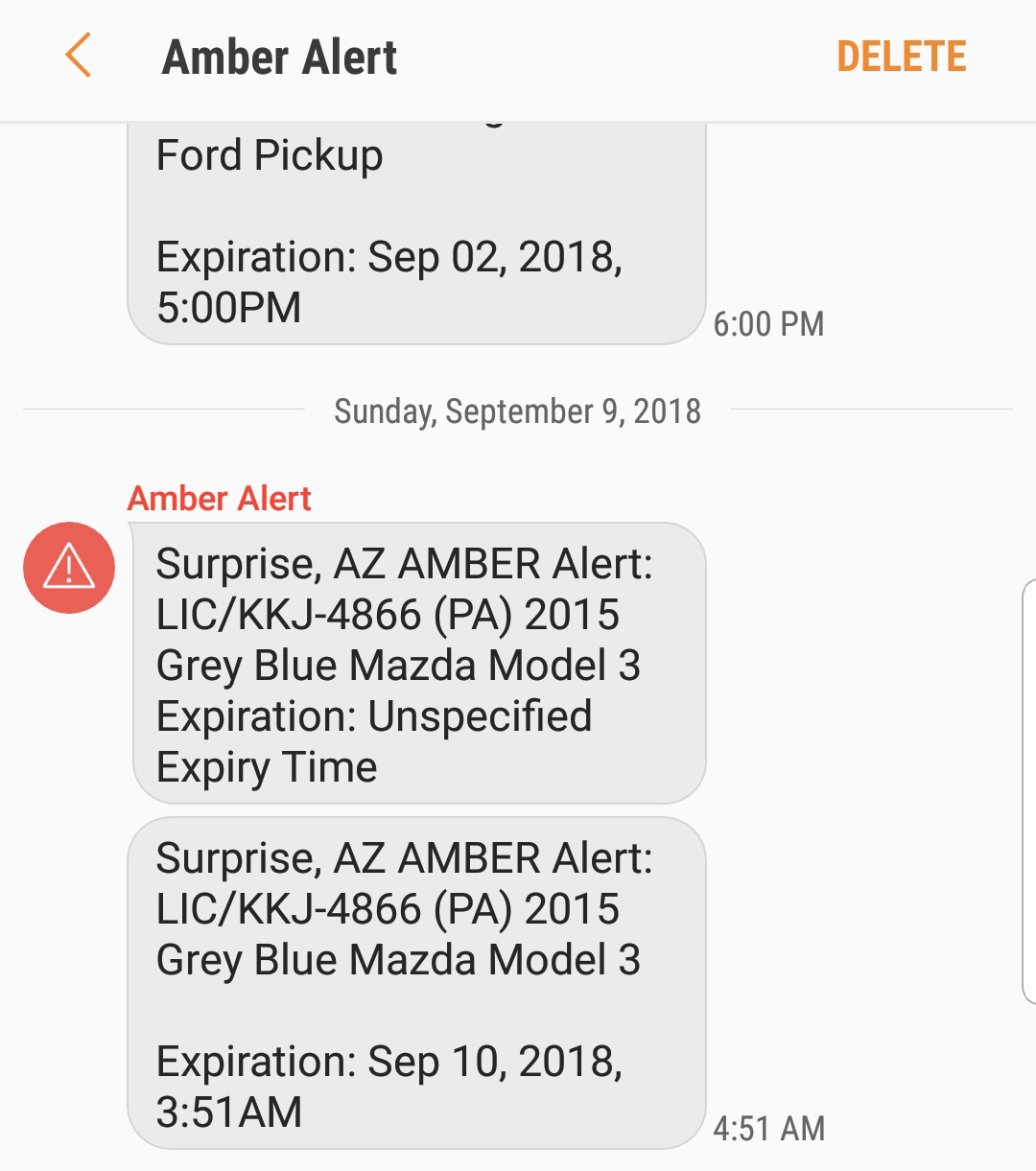
How to turn off Amber Alerts (Android)
Amber Alerts
How to turn off Amber Alert notifications on an Android device. This will disable urgent bulletin in serious child-abduction cases.
The Amber Alert Program is a voluntary partnership between law-enforcement agencies, broadcasters, transportation agencies, and the wireless industry, to activate an urgent bulletin in the most serious child-abduction cases.
The Amber Alert System started in 1996 when Dallas-Fort Worth broadcasters teamed with local police to develop an early warning system to help find abducted children.
When local law enforcement has determined that a child has been abducted and that the abduction meets Amber Alert criteria, law enforcement notifies wireless devices through a message.
Amber Alerts are Emergency Alerts that are displayed on a mobile device when a child is abducted, has run away from home, or is missing for other/unknown reasons. Amber Alerts are also sent to broadcasts, road signs, and more.
Some people might want to turn off Amber Alerts on their Android devices. For example, someone might have more than 1 Android device and the Amber Alerts might be overwhelming at times.
Turn Amber Alert off or on
1. Go to Messages (In newer Android devices you can swipe down to pull up the App screen. On later devices you can go to Apps.).
2. Tap the 3 dots icon in the top right.

3. Tap Settings and go to Emergency alert settings.
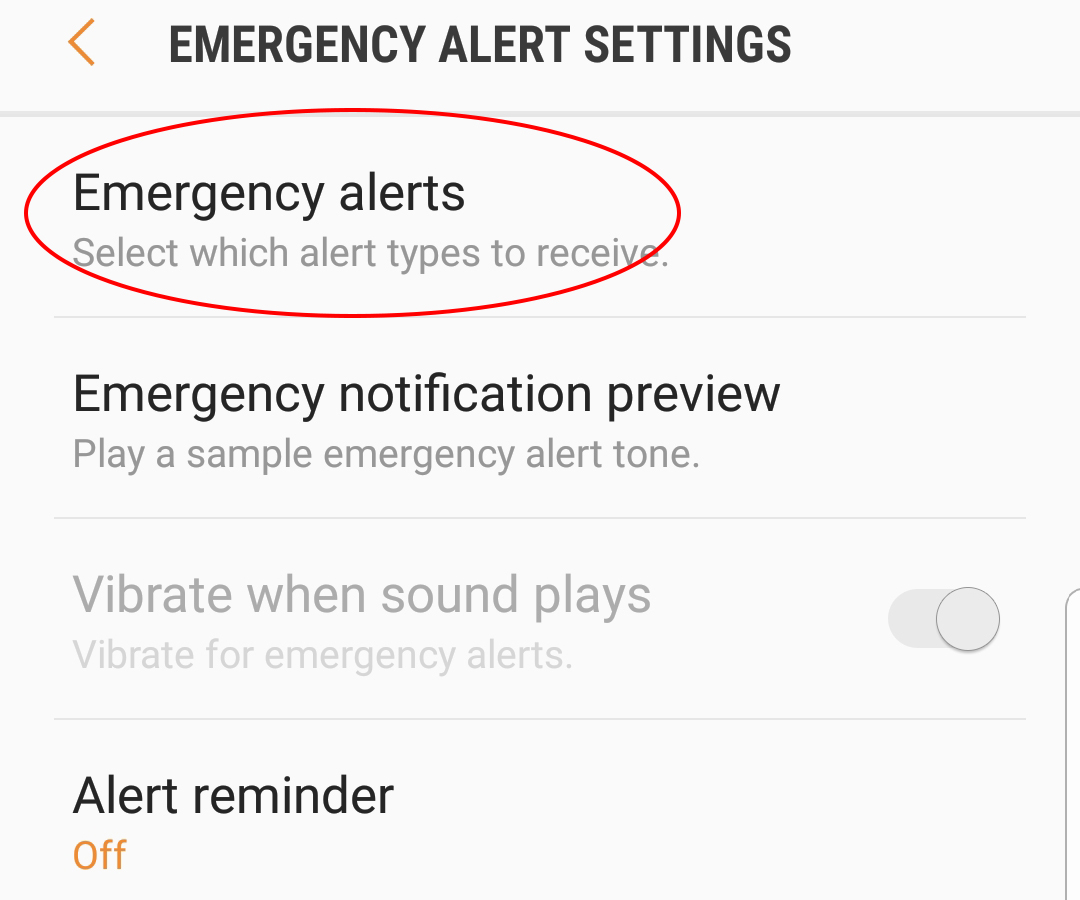
4. Tap Emergency alerts to enter the EMERGENCY ALERTS menu.

5. Clear the check box or boxes for the Emergency Alerts you want to turn off. For example, to turn off Amber alerts move the slide to the left.
To turn Amber Alerts back on use the same instructions.


HAS CITY AREA