Dell has confirmed that its SupportAssist software is responsible for causing blue screen of death (BSOD) crashes on certain Windows devices. Users began reporting unexpected system reboots affecting Dell computers running Windows 10 and Windows 11 starting last Friday. The issue has been linked to a recent update of the SupportAssist Remediation service.
SupportAssist is a Dell utility pre-installed on most new Dell systems to help with system diagnostics and automated troubleshooting. However, the latest update to the SupportAssist Remediation service, specifically version 5.5.16.0, has been identified as the cause of BSOD errors displaying the code 0xEF_DellSupportAss_BUGCHECK_CRITICAL_PROCESS. Dell acknowledged the problem on its official community forums and advised users to disable or uninstall the problematic service to stop the crashes.
A Dell representative stated, “Dell Engineering is aware of the BSOD issue and is working towards a resolution. As many have noted, version 5.5.16.0 of the Dell SupportAssist Remediation service or Alienware SupportAssist Remediation service can cause the BSODs.” The representative also noted that disabling or removing the SupportAssist Remediation service has helped many users avoid further system crashes.
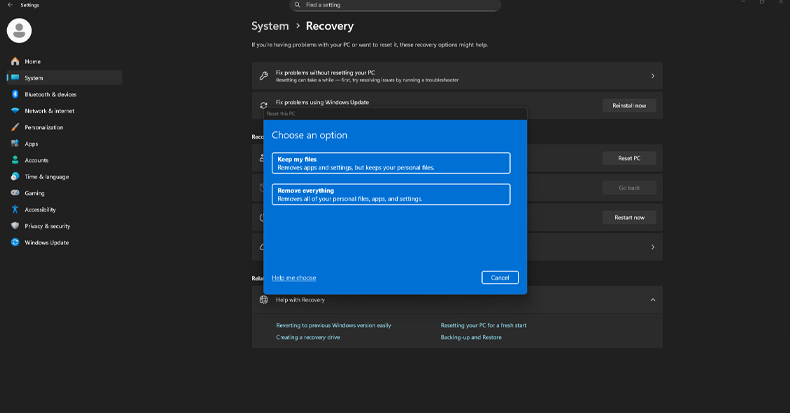
To uninstall the affected SupportAssist Remediation service, users need to open Windows Settings, navigate to Apps > Installed apps, locate the “Alienware SupportAssist Remediation” entry, and select Uninstall. This removes the faulty software version causing the BSODs. Dell warns that any system repair points created by the Dell OS SupportAssist Recovery tool may no longer be accessible after uninstalling this service.
For users who continue to experience blue screen crashes after removing the SupportAssist Remediation service, Dell recommends contacting their support team for further troubleshooting and assistance.
Past Incidents Involving Dell Software and Windows Crashes
This is not the first time Dell software updates have led to widespread issues. In April 2025, Dell warned customers that upgrading to SupportAssist for Home PCs versions 4.6.2 or 4.6.3 on Latitude and Vostro laptops could result in BSOD crashes. Such incidents have raised concerns about the stability of Dell’s software updates on Windows systems.
Additionally, in December 2021, several Dell BIOS updates caused boot failures on multiple laptop and desktop models, including Dell Latitude 5320 and 5520, Dell Inspiron 5680, and Alienware Aurora R8 desktops. Affected users reported that their systems would power on but immediately display a blue screen and shut down. Although Dell did not officially comment at the time, users shared detailed instructions for downgrading BIOS versions using SupportAssist OS Recovery software to regain system functionality.
Security Concerns Surrounding Dell SupportAssist
Beyond stability issues, security researchers have identified significant vulnerabilities in the BIOSConnect feature of Dell SupportAssist. These flaws could allow remote attackers to execute code within the BIOS of impacted devices, potentially compromising system security at a low level.
Such vulnerabilities emphasize the risks associated with pre-installed management software that operates with high privileges on user systems. Users are advised to keep their software updated with security patches and monitor official channels for advisories related to Dell SupportAssist.
Mitigation Steps for Users Affected by Dell SupportAssist BSOD
If your Dell device is experiencing blue screen crashes linked to SupportAssist, consider these steps to reduce the risk of system instability:
- Uninstall the Dell SupportAssist Remediation service version 5.5.16.0 or later through Windows Settings under Apps > Installed apps.
- Disable any remaining SupportAssist services temporarily until a stable update is released.
- Create manual system restore points or backups before making software changes to allow recovery if needed.
- Keep Windows and all device drivers up to date through official Microsoft and Dell update channels.
- Use reputable anti-malware software such as Malwarebytes to scan for potential threats that could worsen system issues during instability.
- Contact Dell Support if BSODs persist after uninstalling SupportAssist Remediation for further diagnostics and guidance.
Users experiencing these crashes should also regularly visit Botcrawl’s Data Breaches category for updates on security-related software issues affecting Windows systems.
- Windows 11 and Microsoft Edge Hacked at Pwn2Own Berlin 2026 Using Chained Zero-Day Exploits
- Microsoft Warns of Exchange Zero-day Flaw Exploited in Attacks
- How to Remove the “Drop Here to Share, Move, or Do More” Popup in Windows 11
- Microsoft Confirms Windows 11 Shutdown Bug After January Update
- Manus AI Is the First Agent That Can Read Your Files Through Windows’ New Agent Connector

Related Posts