How to Remove the “Drop Here to Share, Move, or Do More” Popup in Windows 11
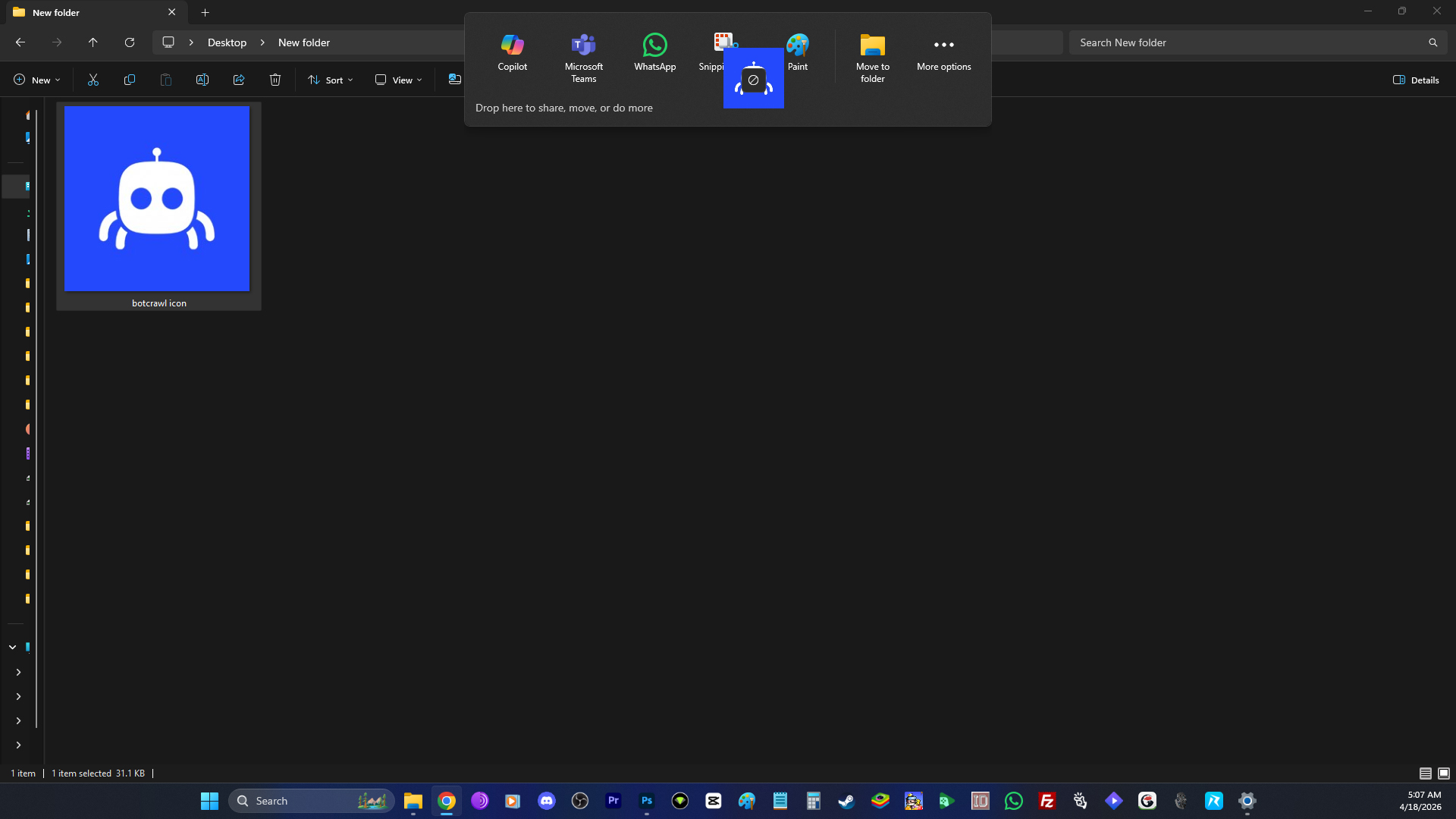
The “drop here to share, move, or do more” popup in Windows 11 is one of those features that sounds fine until it actually lands on your PC and starts getting in the way. I noticed it after a Windows 11 update because I drag files and images around my computer all the time, especially into Photoshop, and this thing will literally block the path. Every time I moved a file toward the top of the screen, Windows wanted to throw a sharing tray in front of me like I asked for it. I did not.
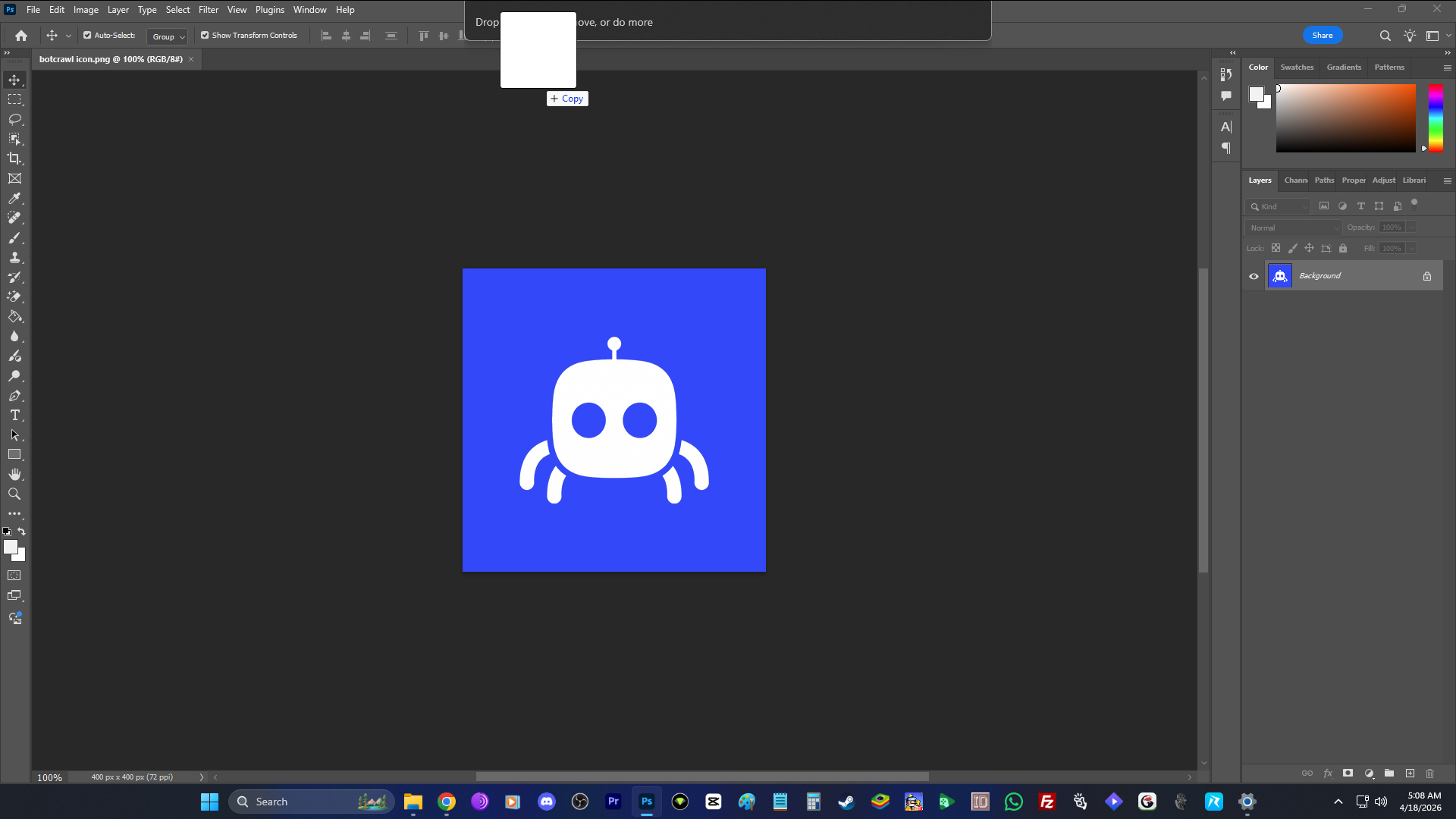
What makes it worse is that accidental sharing is a real thing. I have accidentally shared something on social media before because of one wrong click. It happens. People make mistakes. That alone is enough reason why something like this should not be sitting there by default, waiting to grab whatever file you are dragging around. Some people have private screenshots, personal documents, work files, financial records, drafts, client material, and other sensitive things on their computers. I do not think Windows should be throwing a share tray into that workflow unless someone actually wants it there.
I looked into it more because I wanted to know exactly what Microsoft had added and why it suddenly started showing up. Microsoft originally introduced this feature under the name Drag Tray. In newer Windows notes, it is also being called Drop Tray. The idea is simple enough. When you drag a local file from File Explorer or your desktop toward the top of the screen, Windows opens a tray that lets you share the file into certain apps, open the Windows share window, or in newer versions move it somewhere else. That is what the “drop here to share, move, or do more” popup is.
Microsoft first started showing this off in Windows 11 Insider builds in February 2025. It kept expanding it after that, pushed it closer to regular users in spring 2025, and later added a proper setting so people could turn it off. In newer Windows 11 preview notes from April 2026, Microsoft said Drag Tray was being renamed to Drop Tray, moved its setting to a different section in Settings, and changed the popup so it used a smaller peek view to reduce accidental openings and make it easier to dismiss. So if you only started seeing it after a newer update, that does not necessarily mean it was brand new that day. It may just mean the rollout finally reached your PC, or Microsoft changed it enough that you started noticing it.
That part is actually funny to me because it is basically Microsoft admitting the exact problem. If the company later has to make the thing smaller so people stop triggering it by accident, then yes, it was getting in the way. That was obvious the second I ran into it. I am dragging something where I actually want it to go, and Windows is stepping in because it thinks I might want to share it instead.
If you are the kind of person who constantly drags screenshots into chat apps, email apps, or other sharing tools, I can understand why Microsoft thinks this is useful. There are probably people who like being able to drag a file upward and immediately throw it into something else. That is clearly the audience for it. But if you use your PC the way I do, dragging files into Photoshop and other desktop tools as part of normal work, it is not helpful. It just blocks the path, breaks your motion, and turns a normal desktop action into something more annoying than it needs to be.
I also do not like the broader instinct behind it. If Microsoft wants to make drag-to-share tools for people who want them, fine. Give them the option. But there is a difference between offering a feature and forcing it into the path of normal desktop movement by default. Those are not the same thing. Once you start surfacing sharing controls automatically while people are dragging their own files around, you are taking something that should be deliberate and making it easier to do by mistake.
For some people that may sound dramatic, but I do not think it is. Sharing mistakes happen. Misclicks happen. Muscle memory is real. People move quickly when they work. A popup that suddenly appears at the top of the screen while you are dragging files around is not something I would ever want turned on by default. If someone wants it, great. Turn it on. But Microsoft should not assume that everyone wants an assisted sharing tray floating into view every time a file gets near the top edge of the monitor.
There is also the simple reality that it slows things down. If you work visually, if you drag assets between folders, if you move screenshots into editing software, or if you are doing repeated file movement across the desktop, you do not need extra UI jumping into the process. You need the file to go where you intended to put it. That is it. For people who work that way, this is not a convenience feature. It is clutter.
How to Disable the “Drop Here to Share, Move, or Do More” Popup
How you turn it off depends on which version of Windows 11 you are on, because Microsoft moved the setting.
If your version of Windows 11 still uses the older wording and location, do this:
- Open Settings.
- Click System.
- Click Nearby sharing.
- Look for Drag Tray.
- Turn it Off.
If your version of Windows 11 is using the newer wording, do this instead:
- Open Settings.
- Click System.
- Click Multitasking.
- Look for Drop Tray.
- Turn it Off.
That is the fix. Once it is disabled, the popup should stop appearing when you drag files toward the top of the screen.
Who May Like It and Who Probably Will Not
Some people probably do like this feature. If you are always dragging screenshots into chats, email, or social apps, maybe it feels convenient. Microsoft clearly thinks there is an audience for quick drag-and-share behavior like that. I can understand that part.
But if you use your PC for creative work, editing, design, file sorting, asset movement, or anything else where dragging files around is already part of your routine, I think there is a good chance you will hate it. If you are dragging files into Photoshop like I do, the popup is not helping. It is just in the way.
If you are here because the “drop here to share, move, or do more” popup started appearing after a Windows 11 update and you were wondering if you were imagining things, no, you were not. Microsoft added it, rolled it out gradually, changed it over time, and later moved the setting around. Some people may genuinely like it. I do not. It gets in the way, it should not be on by default, and I do not think Windows should be trying to guess when I want to share my own files.
For me, that is the whole point. I do not want to accidentally share something personal. I do not want a tray popping into view when I am dragging a file into Photoshop. I do not want extra sharing UI inserted into a normal desktop workflow that already worked fine. So I turned it off, and if it is annoying you too, you should probably do the same.