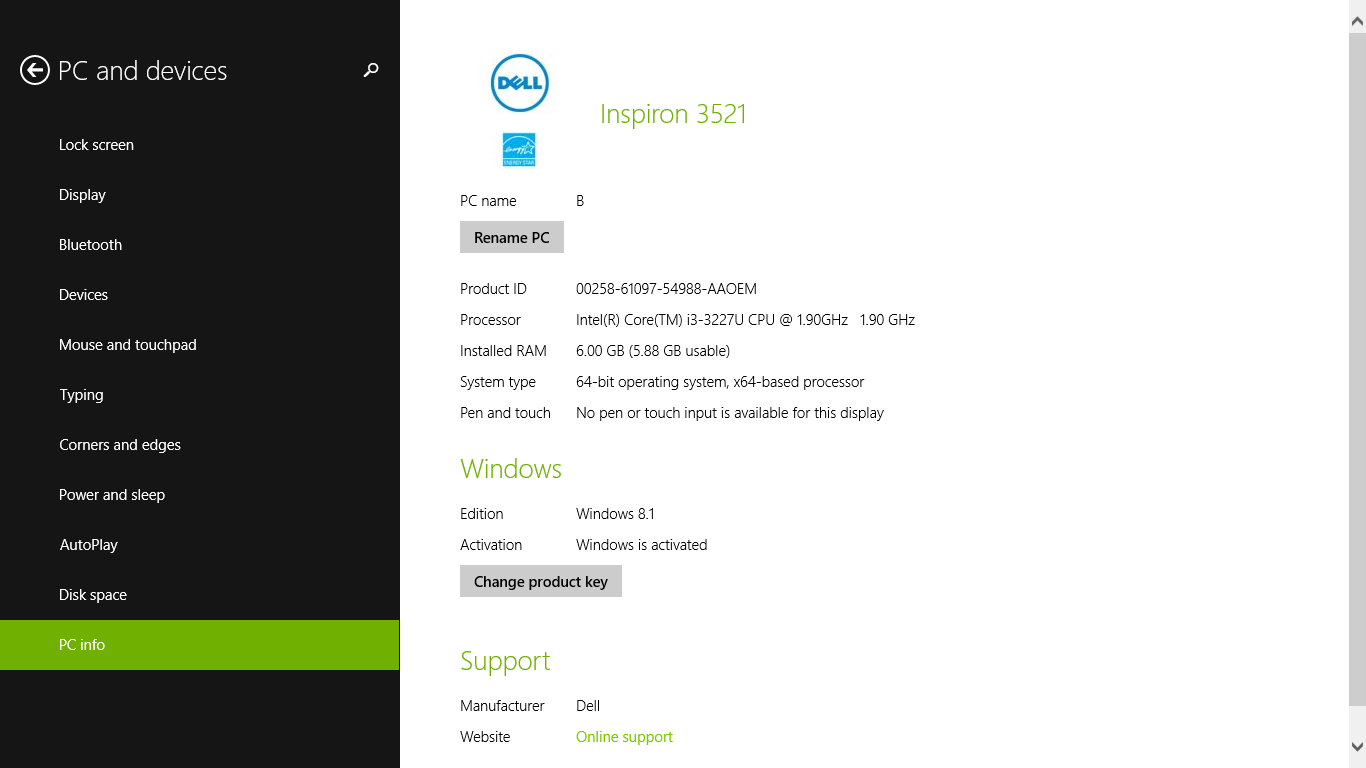

Your computer’s PC info contains specifications about your computer. Your PC info tells you your Product ID, Processor, Installed RAM, System type, Pen and touch availability, Windows Edition, Windows Activation, and more. Some PC info pages will additionally contain links to the manufacture’s support website and consists of other similar information.
1. Go to Windows Start screen

2. Go to PC Settings or search for the term “PC settings” to locate your PC settings

3. In the PC settings tab select PC and devices
4. In the PC and devices tab select PC info
5. The PC info page will tell you the specifications of your computer and allow you to change your product key and rename your PC