Skip to content
Monitor live humans, bots, and datacenters Botcrawl Edge Try Edge Free

Latest posts

Filter by topic

Cybersecurity 4 min read

How To Remove Browse22Save Virus – Browse22Save Malware (Adware/Hijacker)

Browse22Save (browse22save virus) is malware categorized as adware that uses a browser hijacker, conveniently titled Browse22Save to collect user information and display related advertisements. Browse22Save is multi-browser Windows adware, closely associated with riskware (software that puts computer systems and users at risk) and trojan horses that can cause severe computing issues. Furthermore the Browse22Save virus ultimately changes internet browser settings to accommodate the adware infection, which may include the home page and default search engine of infected internet browsers.

Read article
Cybersecurity 5 min read

How To Remove FaceSmooch Malware – Face Smooch Virus Removal Instructions (Browser Hijacker)

FaceSmooch is malware categorized as a browser hijacker that claims to be a free and secure Facebook extension used to get smileys, emoticons, and more for Facebook chat. The FaceSmooch add-on and extension can be manually and voluntarily installed for Chrome, Firefox, and Internet Explorer from a variety of websites including facesmooch.com. Even though FaceSmooch can be manually downloaded, FaceSmooch ultimately targets and entraps unsuspecting victims to their terms, as well as additional third party terms, which may include the installment of additional malware. In particular the FaceSmooch virus primarily bundles with third-party add-ons and extensions including Add Lyrics and FBPhotoZoom.

Read article
Cybersecurity 7 min read

How To Remove The Tuvaro Virus – Remove Tuvaro.com Redirect Virus (Uninstall Tuvaro Search Bar)

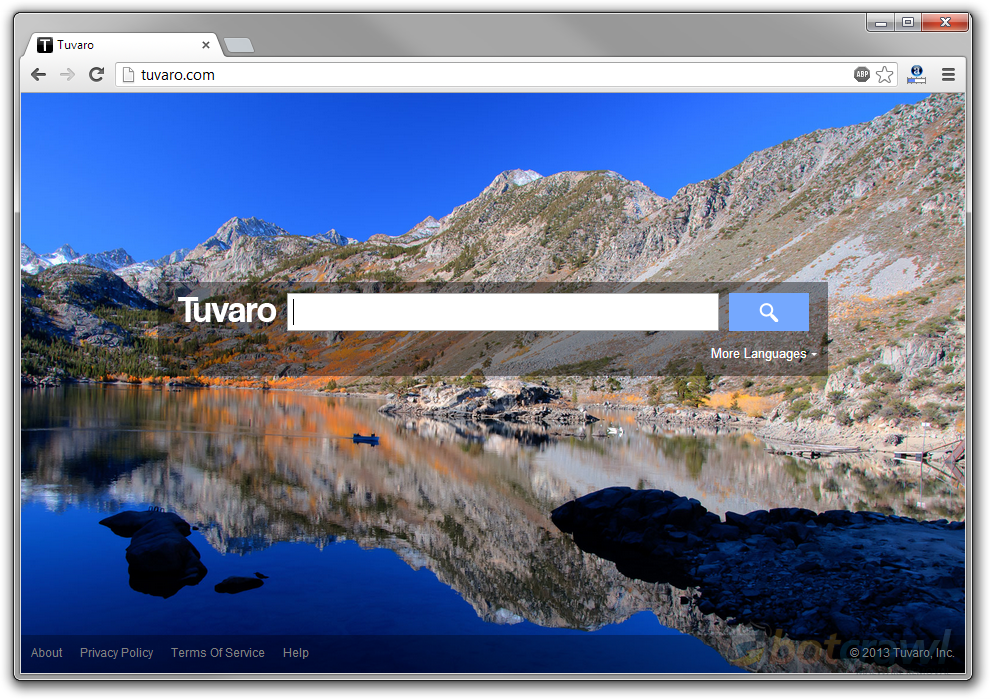
Tuvaro, referred to as the Tuvaro virus or Tuvaro redirect, is malware categorized as a browser hijacker (Tuvaro Search Bar), that infects a computer system and attaches to popular internet browsers in order to change internet browser settings without permission of the computer user. Tuvaro changes the default search engine, which causes internet searches to redirect to tuvaro.com, and the home page, which causes infected internet browsers to start up on tuvaro.com.

Read article
Cybersecurity 4 min read

How To Remove The SelectionLinks Virus – Uninstall Selection Links Browser Hijacker (Adware Removal)

SelectionLinks, also referred to as Selection Links or the SelectionLinks virus, is malware categorized as adware that displays unwanted advertisements without permission of the computer user. SelectionLinks advertisements pop up while the internet user is browsing the internet, and may consist of in-text style advertisements (alike Text Enhance), where individual words are highlighted and hyper-linked to an advertisement or option menu (dropdown), or Selection Links may display pop-up advertisements and multi-sized banner advertisements, that often have links to the Selection Links website that state About this, click to continue by Selection Links, Selection Download, Fetch anchor links, Fetch text links, etc.

Read article
Cybersecurity 6 min read

How To Remove The Qvo6 Virus – Qvo6.com Redirect Virus Removal Instructions

Qvo6.com is malware, categorized as a browser hijacker, and is often referred to as the Qvo6 virus or Qvo6 redirect virus. The Qvo6 virus primarily changes internet browser settings without the permission of the computer user, causing browsers such as Chrome, Firefox, and Internet Explorer to start up on http://qvo6.com and redirect to http://qvo6.com while attempting to search the internet or direct to a website using the address bar (or omni bar).

Read article
Cybersecurity 5 min read

How To Remove The HotStartSearch Virus – Hotstartsearch.com Redirect Removal Instructions (Fast Free Search)

HotStartSearch (HotStartSearch.com/Free Fast Search), also referred to as the HotStartSearch virus or HotStartSearch redirect, is reported as potentially unwanted malware, categorized as a browser hijacker. HotStartSearch malware changes internet browser settings, including the home page and default (provided, managed) search engine, in order to cause infected internet browsers to start up on and redirect to HotStartSearch.com and other websites. It has also been reported that the HotStartSearch search engine home page may contain malicious links that may initiate the installment of adware, spyware, and trojan horses.

Read article
Cybersecurity 4 min read

How To Remove Prize-Party Malware – Prize-Party.com Virus (Prize Party Facebook Scams)

Prize-Party, also referred to as Prize Party and the Prize Party virus, is malware, categorized as a browser hijacker, with close associations to adware, spyware, and especially Facebook scams involving iPad testers, iPhone testers, MacBook Air testers, and Blackberry testers, as well as FREE itunes voucher scams. Prize-party.com promises to give Facebook users free iPads, iPhones, and other products, if they log in to their website using their Facebook accounts. The truth is that, Prize Party installs a browser attachment (add-on, extension, plug-in, or toolbar) to the computer system that can be used to change existing browser settings or allow the installment of additional third-party malware and does not send participants free electronic merchandise.

Read article
Cybersecurity 6 min read

How To Remove The SafeSearch Virus – SafeSearch.net Redirect Virus Removal Instructions

SafeSearch (SafeSearch.net) and the SafeSearch Toolbar is potentially unwanted malware, categorized as a browser hijacker referred to as the SafeSearch virus, SafeSearch.net redirect virus, SafeSearch browser hijacker, or simply the Safe Search virus that infects a computer system in order to change existing internet browser settings. SafeSearch changes the home page and default search engine of infected internet browsers, which causes internet searches via the address or omni bar to redirect to SafeSearch.net and other websites.

Read article
Cybersecurity 4 min read

How To Remove Deal Boat Adware – Deal Boat Virus Removal Instructions (Deals Boat Malware)

Deal Boat, also referred to as Deals Boat is malware, categorized as adware, that utilizes a standalone and/or third-party browser hijacker in order to display pop-up advertisements containing unethical sponsored deals and offers. Deals Boat, or Deal Boat advertisements are primarily blue coupon based ads that feature sponsored and/or potentially malicious links and pop up while browsing deal based websites such as Amazon or Kayak.

Read article
Scams 3 min read

Phishing Website: 222ipad.com – Facebook Ipad 3 Phishing Scams

222ipad.com is a phishing website involved in Facebook scams relating to free ipad 3 giveaways. The 222ipad.com hoax is essentially a survey scam and tag-jacking scam that is closely associated with the unauthorized installment of malware. You may have noticed a friend post about a free ipad 3 giveaway on Facebook with a large amount of tagged friends. This is likely because your Facebook friend may have fallen victim to the www.222ipad.com scam or their account is simply compromised.

Read article
Cybersecurity 6 min read

How To Remove The Clickorati Virus – Clickorati.com Redirect Removal (Malware)

Clickorati (www.Clickorati.com), also referred to as the Clickorati virus or Clickorati spyware is a very invasive search engine developed by Optimizi Ltd, categorized as malware, in particular a browser hijacker that causes unwanted browser redirections and engages in unethical practices that may entrap unsuspecting victims to unethical terms. The Clickorati virus changes existing internet browser settings including the homepages, deafault search eninges, and browser shortcuts, causing unwanted browser redirections to clickorati.com and other websites. This also causes browsers to start up on the Clickorati search engine. Furthermore, Clickorati malware may promote itself as a legitimate search engine does something more useful than just serving up irrelevant search results (their words), as well as an addon, extension, and toolbar.

Read article
Cybersecurity 7 min read

How To Remove The Frameseek Virus – Remove Frameseek.com Redirect (Browser Hijacker)

Frameseek, also referred to as the Frameseek virus or Frameseek redirect, is a new potentially unwanted program (PUP) we discovered, categorized as malware, in particular a browser hijacker that may change existing internet browser settings without consent or entrap victims to unethical terms, causing a series of issues. The frameseek virus has been reported by our readers to infect computer systems without consent and cause internet browsers to start up on frameseek.com and redirect to frameseek.com while internet users attempt to search the web using the browser’s address bar. Futhermore, Frameseek (http://www.frameseek.com) may utilize browser attachments, including third-party add-ons, extensions, and toolbars, which in turn cause the initial issues concerning Frameseek malware or a standalone browser attachment likely titled Frameseek Toolbar or Frameseek Community Toolbar.

Read article