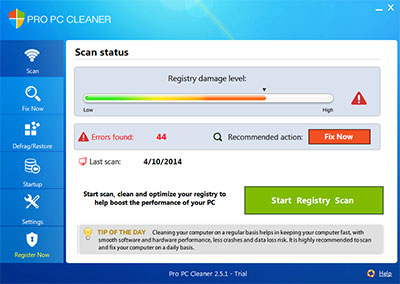
 Pro PC Cleaner is a legitimate program used to cleanup and repair a computer system in order to make it faster and run smooth. Pro PC Cleaner software can be downloaded as a free scanner or the product can be purchased for full use of all the features.
Pro PC Cleaner is not malicious software and it may arrive on a computer system as part of a bundle. Pro PC Cleaner is often manually downloaded by computer users when installing free software (freeware) online. Users will be given the change to accept or decline an offer to install Pro PC Cleaner during the installation process of a variety of programs. Pro PC Cleaner can only be manually downloaded and will not download and install to a computer without user consent.
How to remove Pro PC Cleaner
This Pro PC Cleaner removal guide will help you completely remove Pro PC Cleaner and uninstall other legitimate programs from Microsoft Windows. If you need assistance removing this infection please call our toll free number at 1-888-879-0084.
1. Navigate to Windows Start Menu and open the Control Panel (on Windows 8, right click the bottom left corner to gain access to the Windows 8 Start Menu. Windows 8 may also select Programs and Features).

2. From the Windows Control Panel, click Uninstall a program or Add and remove a program in the Programs section.

3. In the list of installed programs, search for Pro PC Cleaner by Rainmaker Software, LLC. (or other). Once the program is located, double click ir or select it with your mouse and click the Uninstall button to properly remove it.
4. Restart your computer.



Thank you for this detailed removal guide! I was struggling with Pro PC Cleaner for a while, but your step-by-step instructions made it easy to eliminate. I really appreciate the screenshots too—they were super helpful.
I just tried this and it worked great! Thanks for the guide!
I just tried this and it worked great! Thanks for the guide!
I just tried this and it worked great! Thanks for the guide!